
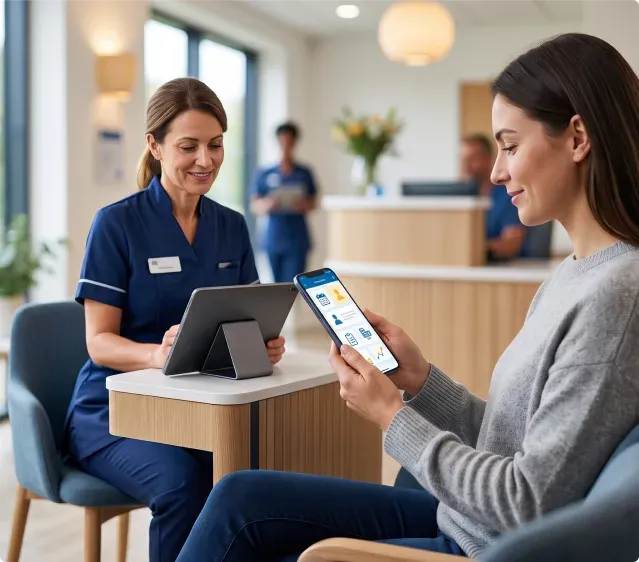
Patient Portal App Development: What UK Clinics Should Plan First

By Sanjana Rao
UI/UX Designer
Quick Summary
Patient portals have become much more than online login pages. They are now an important part of how healthcare organizations communicate with patients, reduce administrative work, and improve access to everyday services. This guide explains what to consider before starting a patient portal app development project in the UK and how to build something patients will actually use.
A patient books an appointment online. A few days later they need to upload a document, check whether their referral has arrived, or find instructions before their visit. If they have to call the clinic every time one of those questions comes up, the portal has already missed its purpose.
That is why patient portal app development UK is receiving so much attention. Healthcare providers are looking for practical ways to give patients easier access to everyday services while reducing the number of routine enquiries handled by reception teams. Many organisations also use these projects as an opportunity to modernise the wider healthcare systems supporting patient care.
Why Patient Portals Matter More in 2026
Patient expectations have changed. People now manage banking, travel, shopping, and government services from their phones. They naturally expect healthcare to become easier to access as well.
A patient portal does not replace clinical care. Instead, it removes unnecessary steps around it. Appointment confirmations, forms, secure messages, prescription requests, invoices, and medical documents can all be managed through one place rather than several disconnected channels.
For healthcare providers, that often means fewer repetitive phone calls and less administrative work. For patients, it simply feels easier.
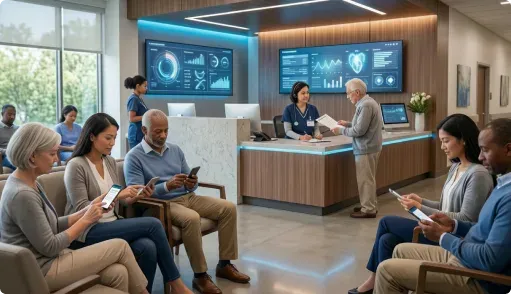
Start With the Patient Journey
One mistake many organisations make is starting with a list of features instead of thinking about the people who will actually use them. A better approach is to follow the patient's journey. What happens after someone books an appointment? Where do delays usually occur?
What questions do reception teams answer every day? Those answers often reveal what belongs inside the portal. Appointment reminders. Pre-visit forms. Secure document sharing. Test results. Follow-up instructions. Those are everyday tasks that patients genuinely use.
A successful patient portal app development UK project solves these common interactions first before adding more advanced capabilities.

The Best Portals Remove Small Frustrations
People rarely remember an app because it has impressive technology. They remember whether it saved them time. Being able to update contact information without making a phone call. Receiving a reminder before an appointment. Downloading a medical letter without waiting for an email. Checking whether a prescription request has been processed.
None of those tasks are complicated. Together, they create a noticeably smoother healthcare experience. This same principle appears across successful healthcare applications, where improving ordinary interactions often delivers more value than introducing complex new functionality.
Integration Matters More Than Features
A portal only becomes useful when it connects with the systems healthcare teams already rely on. Appointments. Patient records. Billing. Messaging. Clinical documentation. If information has to be entered twice, the portal quickly becomes another administrative task instead of a solution.
Planning those connections early usually avoids expensive changes later. Many organisations building patient portals also prioritise integration with EHR and EMR systems so staff and patients always work from consistent information.
Industry guidance continues to highlight interoperability and connected digital services as major priorities for modern healthcare platforms.
Build Confidence Before Expanding
There is often pressure to launch every feature in the first release. Experience suggests a different approach usually works better.
Start with the things patients use every week. Appointments. Messages. Documents. Basic account management. Once people begin using the portal regularly, additional services can be introduced based on genuine feedback rather than assumptions.
That usually creates a more stable product and avoids overwhelming both staff and patients. Healthcare organisations following this approach often see stronger adoption because the portal feels useful from day one instead of trying to do everything immediately.

Where Trudosys Fits In
No two healthcare providers organise their services in exactly the same way. A specialist clinic works differently from a diagnostic centre. A private hospital has different operational priorities from a community practice.
That is why Trudosys begins by understanding existing workflows before designing software around them. Patient portals, mobile applications, reporting, and integrations are planned as part of one connected experience so teams are not forced to change the way they already deliver care.
Explore further Healthcare software services on deeper note. For organisations planning wider digital transformation projects, check our services here.
Frequently Asked Questions
Final Thoughts
People do not judge a patient portal by the number of menus it contains. They judge it by whether it saves them another phone call.
The strongest patient portal app development UK projects make routine healthcare interactions feel simpler, clearer, and less stressful. Patients find the information they need without searching. Staff spend less time answering repeat questions. Communication becomes more consistent.
Those improvements may appear small on their own, but together they create a better experience for everyone involved. Many of the same ideas also appear in broader healthcare software initiatives, where better-connected systems gradually remove everyday operational friction.
Sources

Sanjana Rao
UI/UX Designer
Sanjana Rao is a UI/UX Designer with more than one year of experience designing digital products for business users. Her work includes SaaS websites, enterprise applications, CRM platforms, dashboards, and property management tools, with project experience in healthcare and construction. She translates complex workflows into clear interfaces and user journeys, balancing user needs with business requirements. Her approach combines thoughtful interaction design, consistent visual systems, and practical attention to how people complete everyday tasks.
Professional Experience: More than 1 year.
Industry and Project Experience: SaaS, enterprise software, CRM, healthcare, construction, and property management.
Technical Expertise: User experience and interface design, business workflow simplification, dashboards, user journeys, visual design, and consistent design systems.