
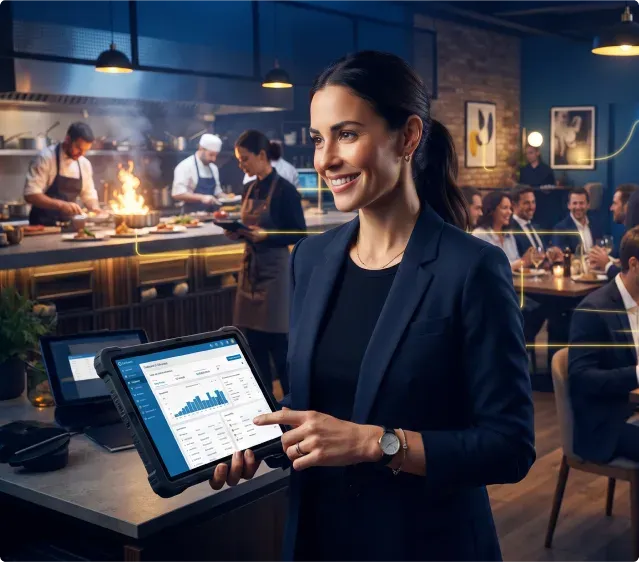
Restaurant Automation: Benefits for Modern Restaurants in 2026

By Rajesh S
Software Engineer – QA Tester
Quick Summary
When people think about restaurant automation, they usually picture QR menus, self-ordering kiosks or digital payments. Those are only the visible parts. Most of the value comes from what happens behind the scenes. This guide looks at how restaurant automation helps reduce repetitive work, keeps teams better connected and makes everyday operations run more smoothly.
When someone scans a QR code at a restaurant, it feels like a simple action.
- The menu opens.
- An order gets placed.
- A payment goes through.
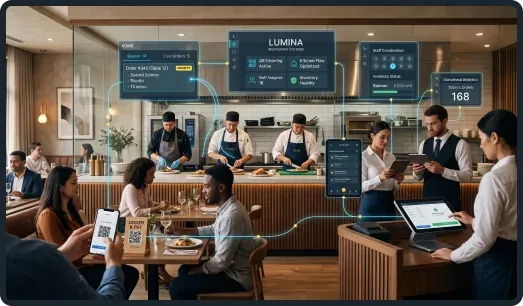
From the customer's side, that's pretty much the whole experience.
Inside the restaurant, though, there's a lot more happening.
- The order has to reach the kitchen.
- Stock may need updating.
- The right team members need to see the information.
- The bill has to match what was ordered.
If those steps happen smoothly, nobody notices.
If they don't, the whole service starts feeling slower. That's where restaurant automation makes the biggest difference.
It isn't really about replacing waiters with screens. It's about helping all the work behind the scenes move with fewer interruptions.
Restaurant Automation Is More Than Customer-Facing Technology
Most restaurants already use some form of technology.
- Digital payments.
- Online ordering.
- Reservations.
- Delivery platforms.
- Customers see those every day.
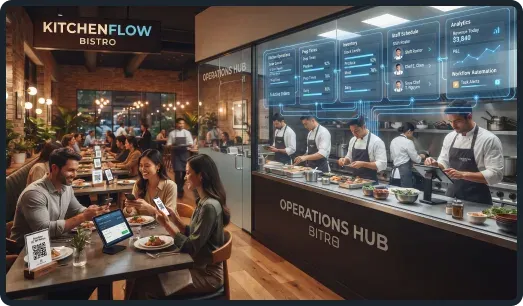
What they don't see is everything happening behind them.
- Orders moving into the kitchen.
- Inventory being updated.
- Reports being generated.
- Managers checking how the shift is performing.
Restaurant automation connects those everyday jobs so staff spend less time moving information around and more time looking after customers.
The Real Work Starts After An Order Is Placed
Taking an order is only the beginning.
After that, several things usually happen at once.
The kitchen needs the order.
The front-of-house team needs updates.
Stock levels may change.
Payments have to match the final bill.
When those processes depend on different systems that don't communicate, people end up filling the gaps themselves.
Someone enters information twice.
Someone walks into the kitchen to confirm an order.
Someone checks another screen just to make sure everything matches.
Those small interruptions don't seem like much on their own.
Over the course of a busy day, they add up.
Repetitive Tasks Slowly Take Time Away From Service
Most restaurant owners aren't looking for automation because they want more technology.
They're looking for ways to make the day run a little more smoothly.
Closing reports take longer than they used to. Inventory checks become harder. Managers spend more time fixing small operational issues. Staff get interrupted by repetitive admin throughout their shift.
That's usually when automation starts becoming part of the conversation.
Not because people want fewer employees.
Because repetitive work probably doesn't need someone's attention every single time.
Many restaurants are now using business process automation to handle routine operational tasks while allowing staff to focus on customer service instead.
Automation Works Best When Systems Work Together
Buying more software doesn't automatically improve operations. Restaurants often already have the systems they need.
The bigger issue is getting those systems to share information properly.
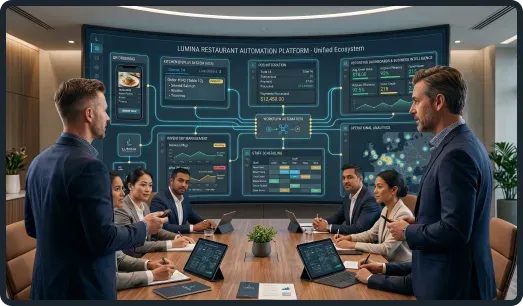
When online ordering, payments, kitchen displays and reporting all work together, staff spend less time checking whether information matches.
Managers have a clearer picture of what's happening. Customers experience faster and more reliable service.
It's usually those small improvements that make the biggest difference over time.
Test the Exceptions Before a Busy Service
An ordering workflow should be tested beyond a successful purchase. Before rollout, walk through these situations with front-of-house and kitchen staff:
- A guest taps submit twice: confirm that the kitchen receives one order and the bill is not duplicated.
- Payment fails after an order is created: make the unpaid state visible and give staff a clear recovery step.
- An item sells out: decide who updates availability and how already accepted orders are handled.
- A customer changes or cancels an order: check that the kitchen ticket, payment record, and final bill agree.
- The connection drops: provide a manual ordering fallback and reconcile records when service resumes.
Start with one service area and review missing orders, corrections, and closing reconciliation before expanding. The restaurant ordering app planning guide covers the customer-facing scope; hospitality software services address the systems supporting it.
Good Automation Still Leaves Room For People
Some people hear the word automation and imagine restaurants becoming less personal.
In practice, the opposite often happens.
When staff aren't constantly updating spreadsheets, chasing orders or correcting mistakes, they have more time to spend with customers.
Technology takes care of repetitive jobs. People still take care of hospitality.
That's why the best restaurant automation usually stays in the background.
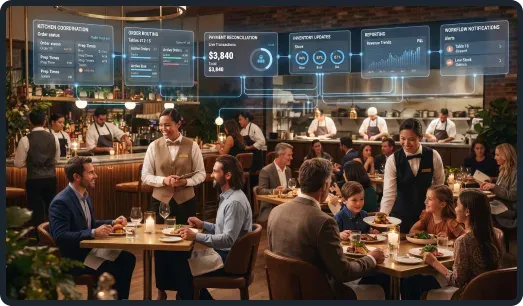
Guests notice smoother service. They don't notice the systems making it happen.
How Trudosys Helps Restaurant Businesses
Every restaurant has its own way of operating. Some want better kitchen visibility. Some need ordering, inventory and finance systems to work together.
Others simply want to reduce repetitive administrative work.
That's where Trudosys starts.
Instead of recommending the same software to every business, the first step is understanding how the restaurant already works.
From there, automation and software are built around those everyday workflows, making operations easier without forcing teams to completely change the way they work.
Frequently Asked Questions
Final Thoughts
Restaurant automation isn't really about QR codes. Or self-service screens. Or replacing people.
It's about removing the small bits of friction that build up throughout a busy day.
When information moves properly, repetitive work reduces and teams spend more time focusing on guests, the restaurant simply feels calmer to run.
That's usually the difference good automation makes.

Rajesh S
Software Engineer – QA Tester
Rajesh S is a Software Engineer specializing in quality assurance, with more than one and a half years of experience testing web and mobile applications. His work covers manual testing, test automation, API validation, and performance testing. He designs and executes test cases, performs functional and regression testing, and documents defects for development teams. Using tools including Selenium, Appium, Postman, and JMeter, he helps teams assess application behavior and improve software reliability before release.
Professional Experience: More than 1.5 years.
Industry and Project Experience: Software testing and quality assurance for web applications, mobile applications, and APIs.
Technical Expertise: Selenium WebDriver with Java, Appium, Cucumber BDD, TestNG, Rest Assured, Postman, SQL, Jira, and JMeter; manual, functional, regression, automation, API, and performance testing.